Isometric Graph Paper

Isometric Graph Paper generator

How to use isometric graph paper

Print settings

Export graph paper

Edit
Paper
Orientation
Line color
Line weight
papergens.com
Paper
Letter (8.5 × 11 in)
Grid
Isometric
Scale
100% print

Use Actual Size in the print dialog; the PDF is generated from the same SVG preview shown here.
How to use isometric graph paper

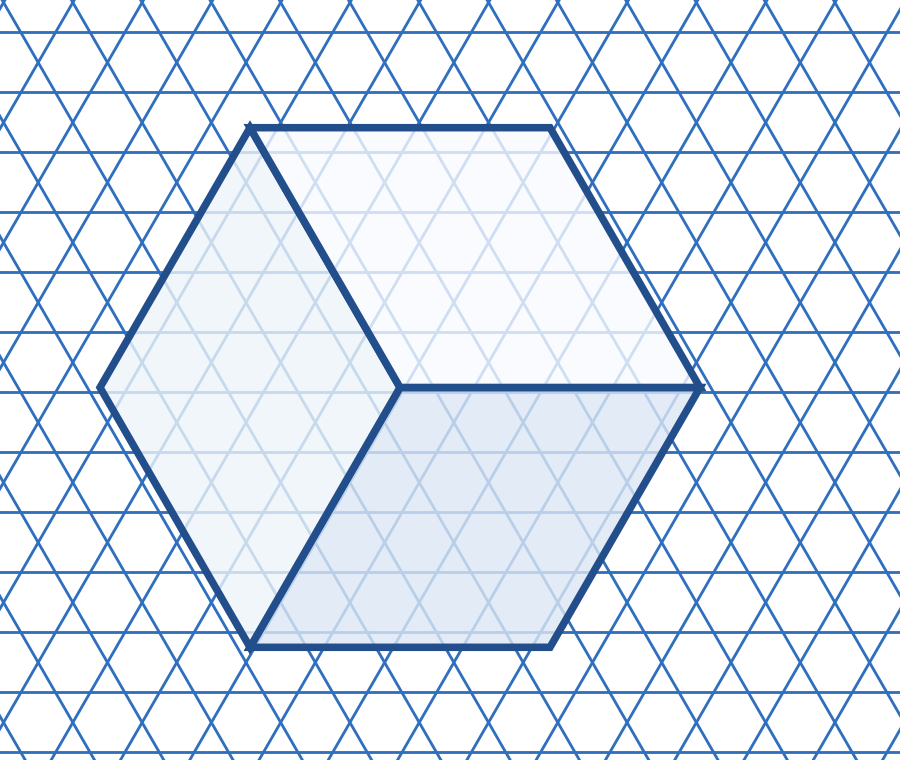
The three grid directions help show a solid object in a flat drawing. Follow those directions to keep edges consistent.

Isometric grid with a blue outline of a cube
Example in use. The cube uses three directions rather than a horizontal and vertical square grid.This is a usage illustration. Customize the sheet above before downloading.
  1. Choose a clear isometric grid

    Select the paper size and line tone. Print a light grid that remains visible beneath your drawing.

  2. Build a simple box first

    Follow the three grid directions for the edges. Use the same number of grid steps for equal-length edges.

  3. Add detail after the outline

    Check the basic proportions before adding openings or shading. Keep parallel edges on the same grid direction.

Try this. Isometric sketches show structure clearly, but do not replace a fully dimensioned technical drawing.

Find more graph paper layouts

Questions about this printable

Can I download Isometric Graph Paper as a PDF?

Yes. This page opens the graph paper generator on Isometric Graph Paper, and you can download PDF, PNG, or SVG.

What is Isometric Graph Paper best for?

Sixty-degree grid for 3D sketches, product concepts, and geometry.

Use Actual Size or 100% scale in the print dialog.

Use Actual Size or 100% scale in the print dialog and match the printer paper size to the selected template.