First Quadrant Grid

First Quadrant Grid generator

How to use a first-quadrant coordinate plane

Print settings

Export graph paper

Edit
Paper
Orientation
Line color
Line weight
xy510152025303551015202530354045papergens.com
Paper
Letter (8.5 × 11 in)
Grid
First quadrant
Scale
100% print

Use Actual Size in the print dialog; the PDF is generated from the same SVG preview shown here.
How to use a first-quadrant coordinate plane

Practice ordered pairs with positive horizontal and vertical values. Use the axes to explain how a point’s position is written.

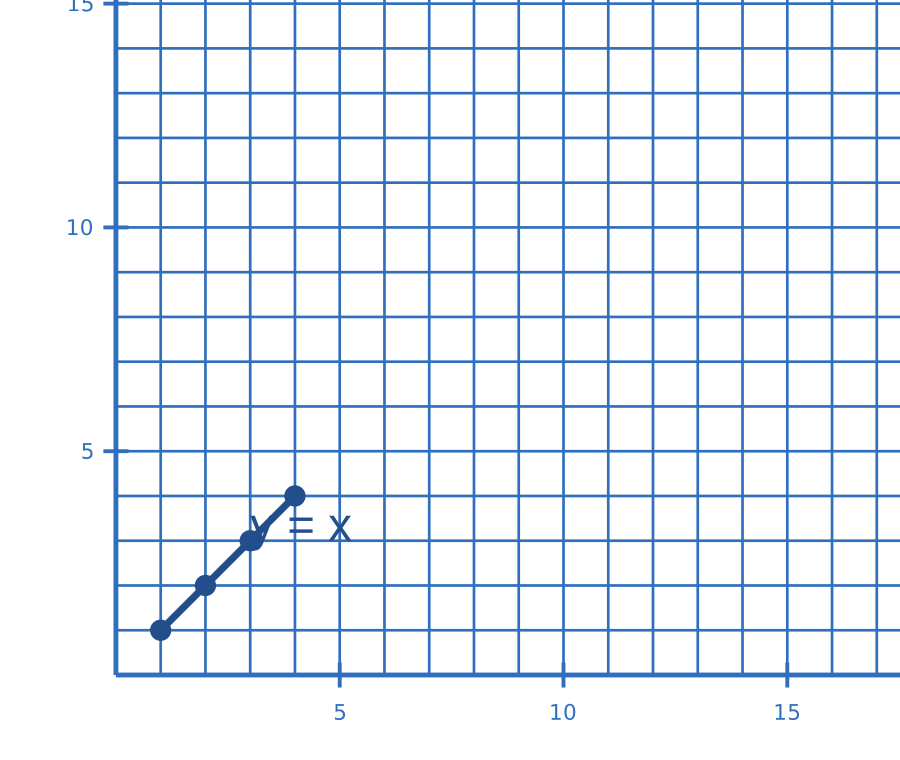
First-quadrant coordinate grid with points on a rising line
Example in use. Points with equal x and y values lie on the line y = x.This is a usage illustration. Customize the sheet above before downloading.
  1. Check the axis interval

    Preview the labels and tick spacing. Decide how many units each grid step represents before the exercise.

  2. Move across, then up

    For (2, 3), move two units right from the origin and three units up. Put a dot at that intersection.

  3. Label and compare points

    Write ordered pairs beside the dots. Connect them only when the task asks for a line or shape.

Try this. The first quadrant shows positive x and y values. Choose a full coordinate plane when negative values are needed.

Open the graph paper generator

Questions about this printable

Can I download First Quadrant Grid as a PDF?

Yes. This page opens the graph paper generator on First Quadrant Grid, and you can download PDF, PNG, or SVG.

What is First Quadrant Grid best for?

Positive-only coordinate plane for early graphing worksheets.

Use Actual Size or 100% scale in the print dialog.

Use Actual Size or 100% scale in the print dialog and match the printer paper size to the selected template.