5 mm Graph Paper

5 mm Graph Paper generator

How to use 5 mm graph paper

Print settings

Export graph paper

Edit
Paper
Orientation
Line color
Line weight
papergens.com
Paper
Letter (8.5 × 11 in)
Grid
5 mm
Scale
100% print

Use Actual Size in the print dialog; the PDF is generated from the same SVG preview shown here.
How to use 5 mm graph paper

A fine square grid gives small diagrams, tables and handwritten calculations a consistent spacing. Decide whether a cell represents a measurement or a value before drawing.

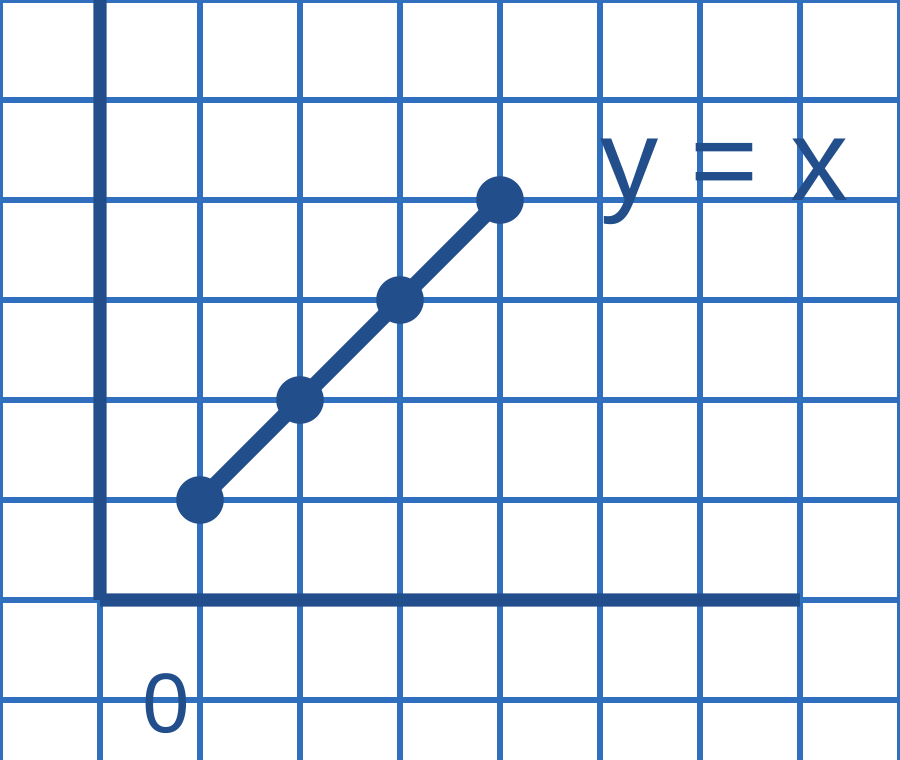
Five-millimeter square grid with four blue points on the line y = x
Example in use. The plotted points use one square per unit; the physical square size stays 5 mm when printed at actual size.This is a usage illustration. Customize the sheet above before downloading.
  1. Print and check the grid

    Match Letter or A4 to your printer and choose 100% or actual size. Ten squares should measure 5 cm when physical measurements matter.

  2. Choose a scale before marking points

    Label the axes and write what one square represents. Plot each ordered pair by moving across, then up or down.

  3. Check positions and units

    Count grid steps from the origin and compare the plotted values with the exercise. Add dimensions to measured sketches.

Try this. A 5 mm cell does not have to represent five units. Keep the printed spacing and the value scale separate.

Choose another graph paper layout

Questions about this printable

Can I download 5 mm Graph Paper as a PDF?

Yes. This page opens the graph paper generator on 5 mm Graph Paper, and you can download PDF, PNG, or SVG.

What is 5 mm Graph Paper best for?

Metric grid for math, science, journaling, and layout sketches.

Use Actual Size or 100% scale in the print dialog.

Use Actual Size or 100% scale in the print dialog and match the printer paper size to the selected template.