Bill tracker printable
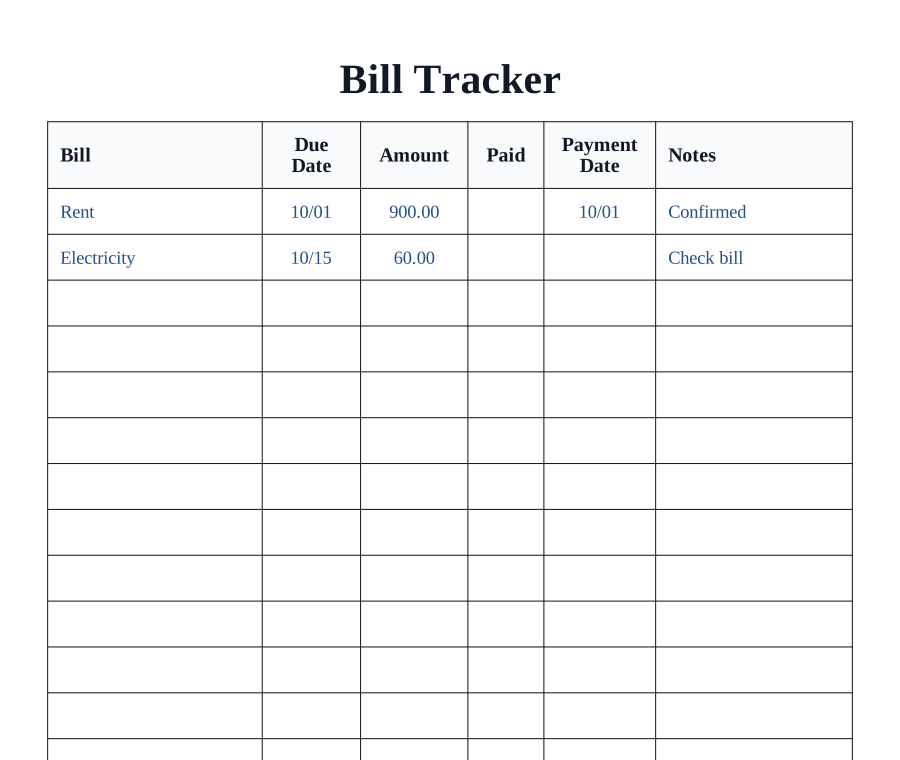
Print a monthly bill tracker for due dates, amounts, and paid status.
How to use a printable bill trackerNeed a fixed Letter layout? Download the standard Bill Tracker template → or large print version →
Bill essentials
Export bill tracker
8/16 bills
Track the due date first. Sort bills by due date so late payments are easier to avoid.
Mark paid status clearly. Use the paid column and payment date together when reconciling statements.
Active tracker
Monthly tracker
How to use a printable bill tracker
Bring recurring payments into one monthly view. The sheet records due dates and payment status so you can distinguish an upcoming bill from one already paid.
List bills for one month
Enter a month label and recurring bill names. Choose large print if you need more writing room, then print the sheet.
Fill in dates and amounts
Copy the due date and expected amount from each bill. Leave payment status blank until the payment has actually been made.
Record payment and review the next due date
Mark paid and add the payment date. Review outstanding rows weekly and start a fresh sheet for the next month.
Try this. This is a manual record and does not send reminders, make payments or connect to a bank account.
Record transactions in a check registerQuestions about this printable
Can I download the bill tracker as a PDF?
Yes. Choose standard or large print, add an optional month label, then download PDF, PNG, or SVG.
Does it include a large print bill tracker?
Yes. The large print preset uses taller rows so due dates, amounts, and payment notes are easier to read.
Which columns are included?
The tracker includes bill, due date, amount, paid, payment date, and notes columns.
Start with a printable tool
Choose the task first: graph paper, calendars, planners, handwriting practice, home admin sheets, rulers, or craft grids. Each link opens a focused page with the highest-frequency settings already visible.